/meridian create Admin only Create a new Meridian board in this channel.

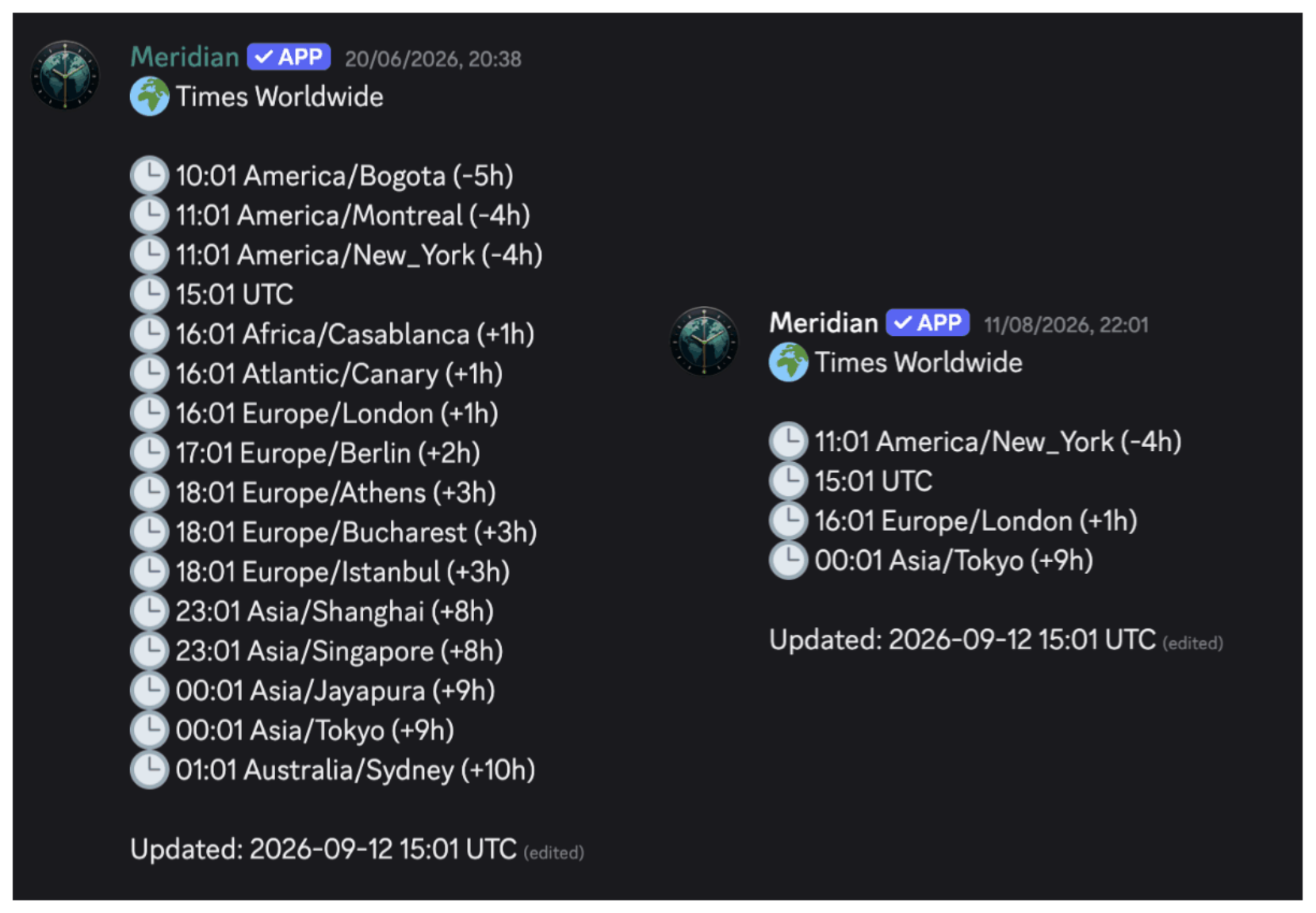
Meridian is a persistent world-clock board for Discord communities. It keeps an auto-refreshing embed in a channel showing the current time across every configured location.
Working-hours indicators make it obvious who is awake, event-countdown boards keep launches and raids on schedule, and DST changes are handled automatically, with UTC kept as the central scheduling reference.
Meridian is a Python, discord.py, FastAPI application, running on opi5-cluster and deployed via ArgoCD.
Add Meridian to your server with the button above, or join the Discord for help and updates.
Meridian ships slash commands under a /meridian group: board management, timezone configuration, working-hours indicators, and event countdowns. All commands require Manage Server.
/meridian create Admin only Create a new Meridian board in this channel.
/meridian delete Admin only Delete the Meridian board in this channel.
/meridian refresh Admin only Force an immediate board refresh. Useful after changing timezones.
/meridian timezone add Admin only Add a timezone to the board via the guided picker.
/meridian timezone remove Admin only Remove a timezone from the board.
/meridian working-hours on Admin only Enable working-hours indicators (green/red dots) for the configured hours.
/meridian working-hours off Admin only Disable working-hours indicators.
/meridian format Admin only Configure the time format used on the board (12h / 24h).
/meridian event create Admin only Create a new event-countdown board that ticks down to a target datetime.